Mac app
Chinese Study
Read Chinese the way old books are printed: top to bottom, right to left, with Zhuyin beside every character. Hover any word and a tutor explains it in the sentence you’re reading.
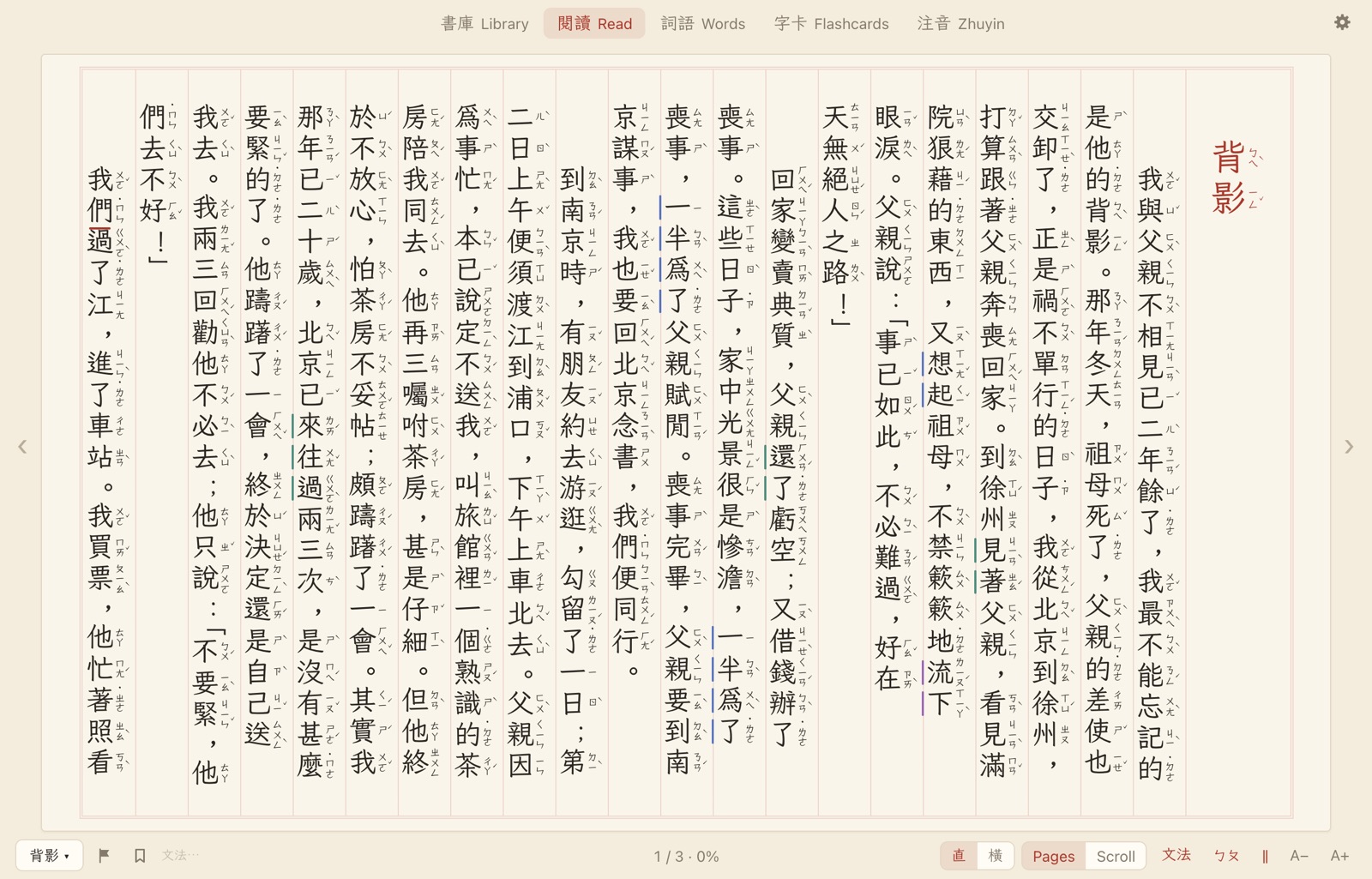
Reading
Columns, like a printed book.
Text runs top to bottom in columns read right to left, with Zhuyin beside every character. Turn pages with ←, Space or the trackpad, or switch to one continuous scroll.
- ㄅㄆ hides the Zhuyin; ‖ draws column lines
- Larger or smaller text with A− and A+
- Two fonts: 文楷 WenKai, included with the app, or the Mac’s 宋體 Songti
- Light, Dark, or matching your Mac
- A chapters menu, a page counter, and your place saved in every book
While the mouse is on the page, the tabs and controls fade out. Move it to the margins and they come back, each explaining itself on hover.
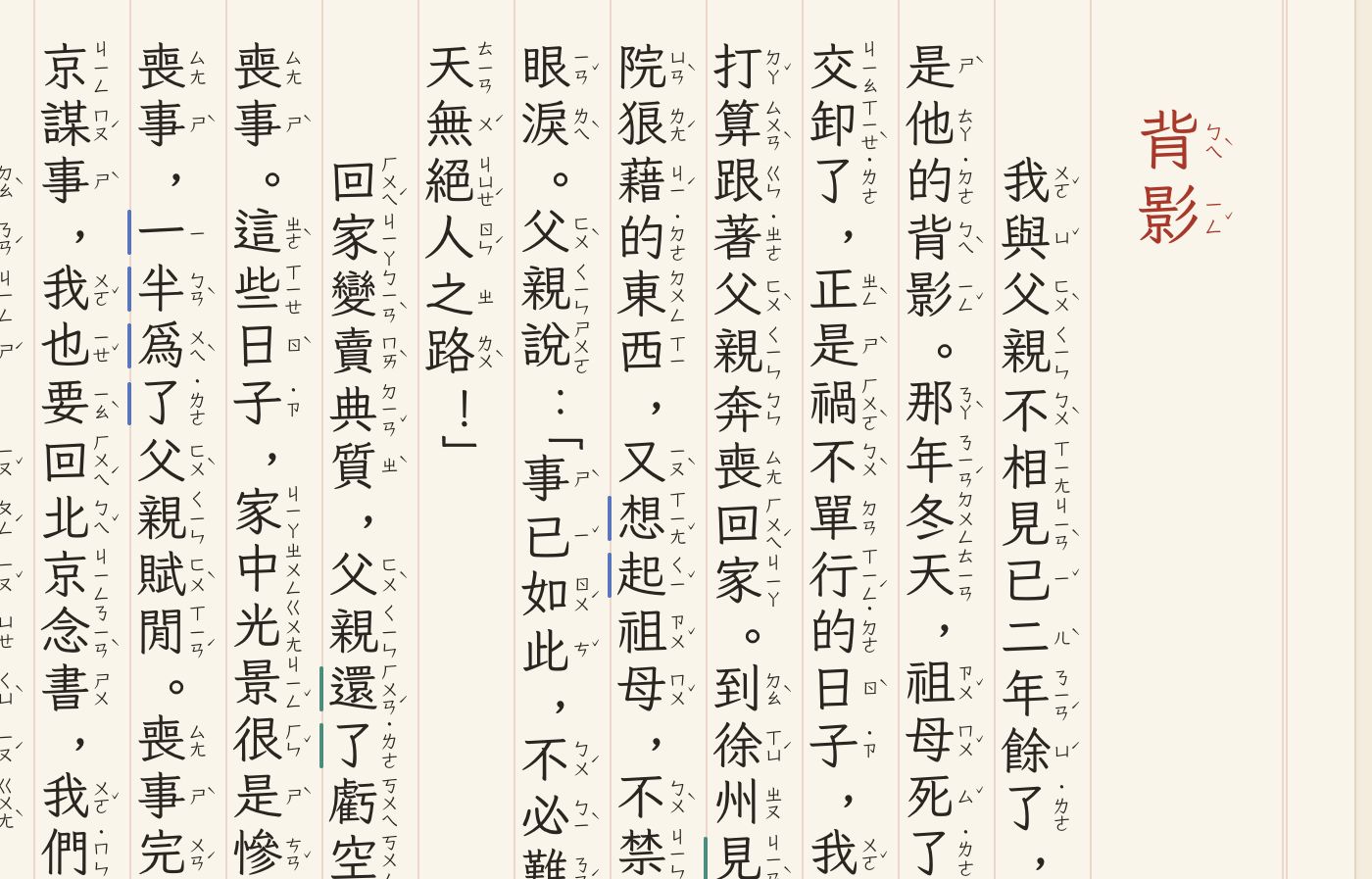
Left to right
Pinyin, the way it’s spoken.
Switch 直 to 橫 for lines instead of columns, with pinyin under every character. The pinyin follows the tone changes you actually hear:
- 一 and 不 change with the next syllable: 一定 yídìng, 不是 búshì. 一 stays yī in numbers.
- Two third tones become second and third: 我很好 wó hén hǎo.
- 啊 takes the sound before it: 天啊 tiān na.
Changed syllables are shown in blue, so you see where the tone moved.
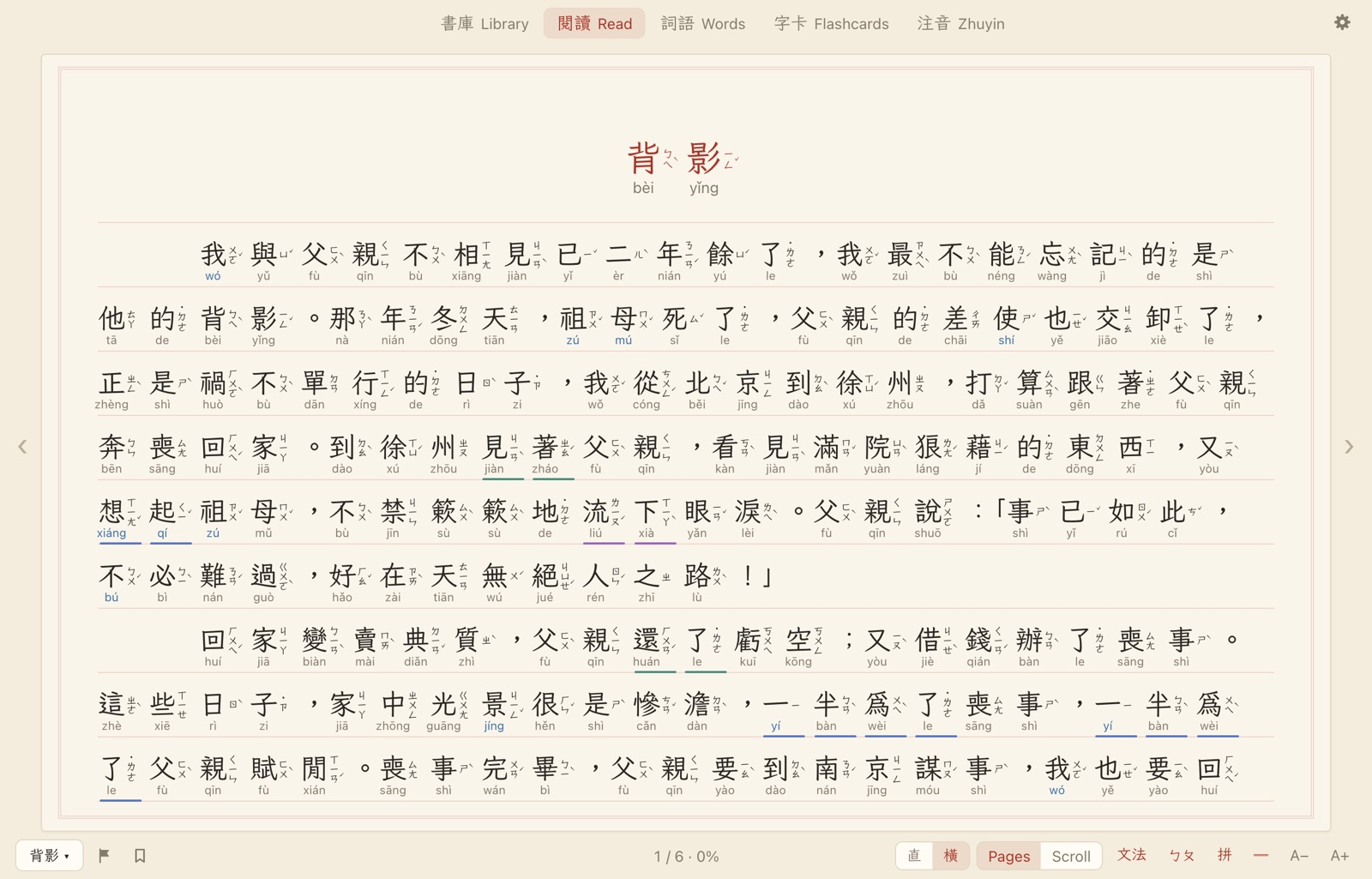
Tutor
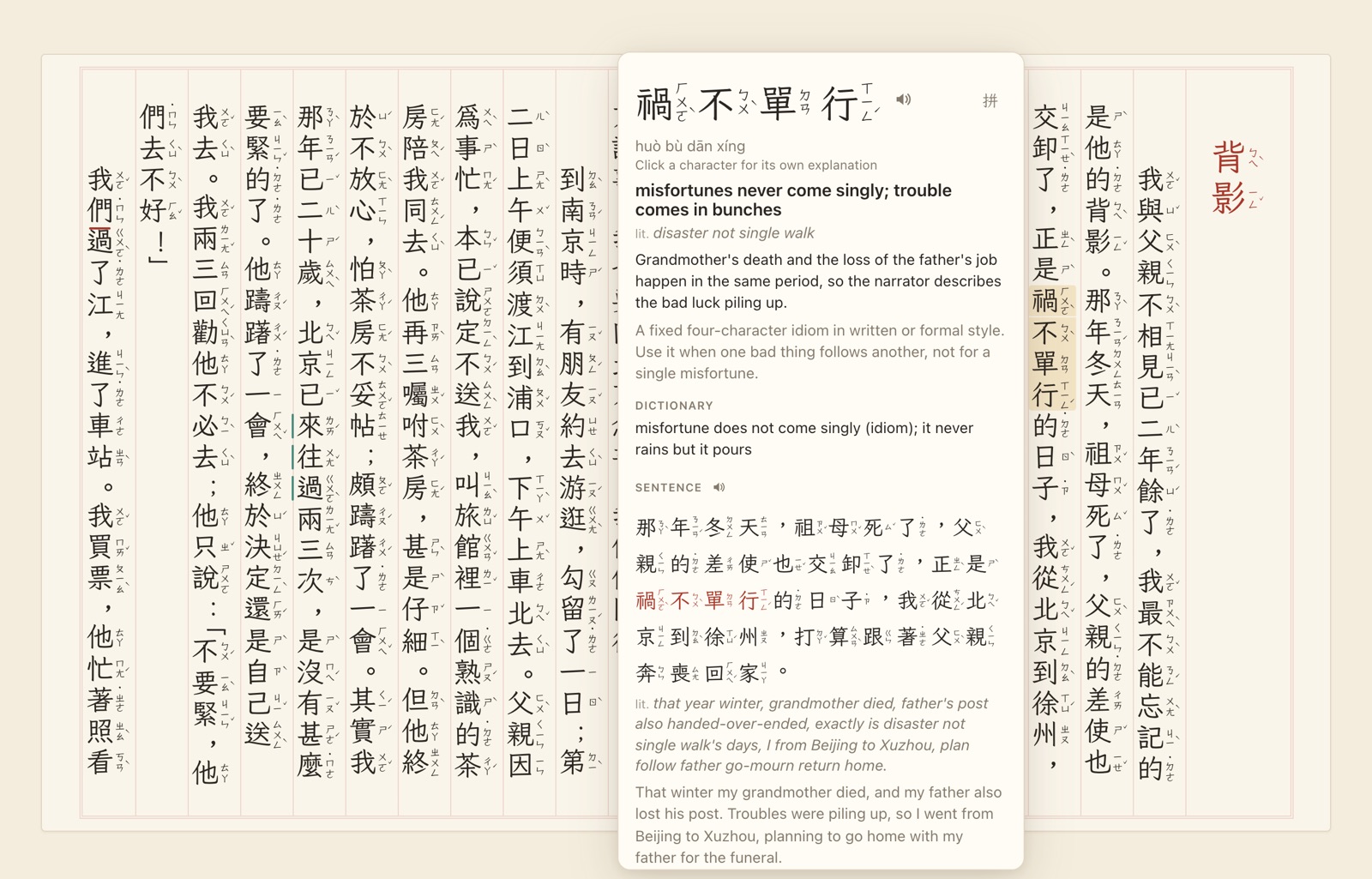
Hover a word. It’s explained in its sentence.
Hover any word to see what it means here, not just the dictionary’s list. You also get the dictionary meaning, the whole sentence with a translation and a literal word-for-word gloss, and three examples. Everything has Zhuyin and a speaker button.
- Compounds show what their characters say: 開天闢地, open heaven, split earth.
- Click a character for its own explainer: its parts, a memory hook, words and examples.
- Words inside a popover open popovers of their own, as many levels deep as you like.
- Click another word in the sentence to make it the popover’s word.
When a character has more than one reading and the dictionary picks the wrong one, the tutor fixes it from the context, and the fix is saved for that spot in the book.
Grammar
Grammar, marked where it happens.
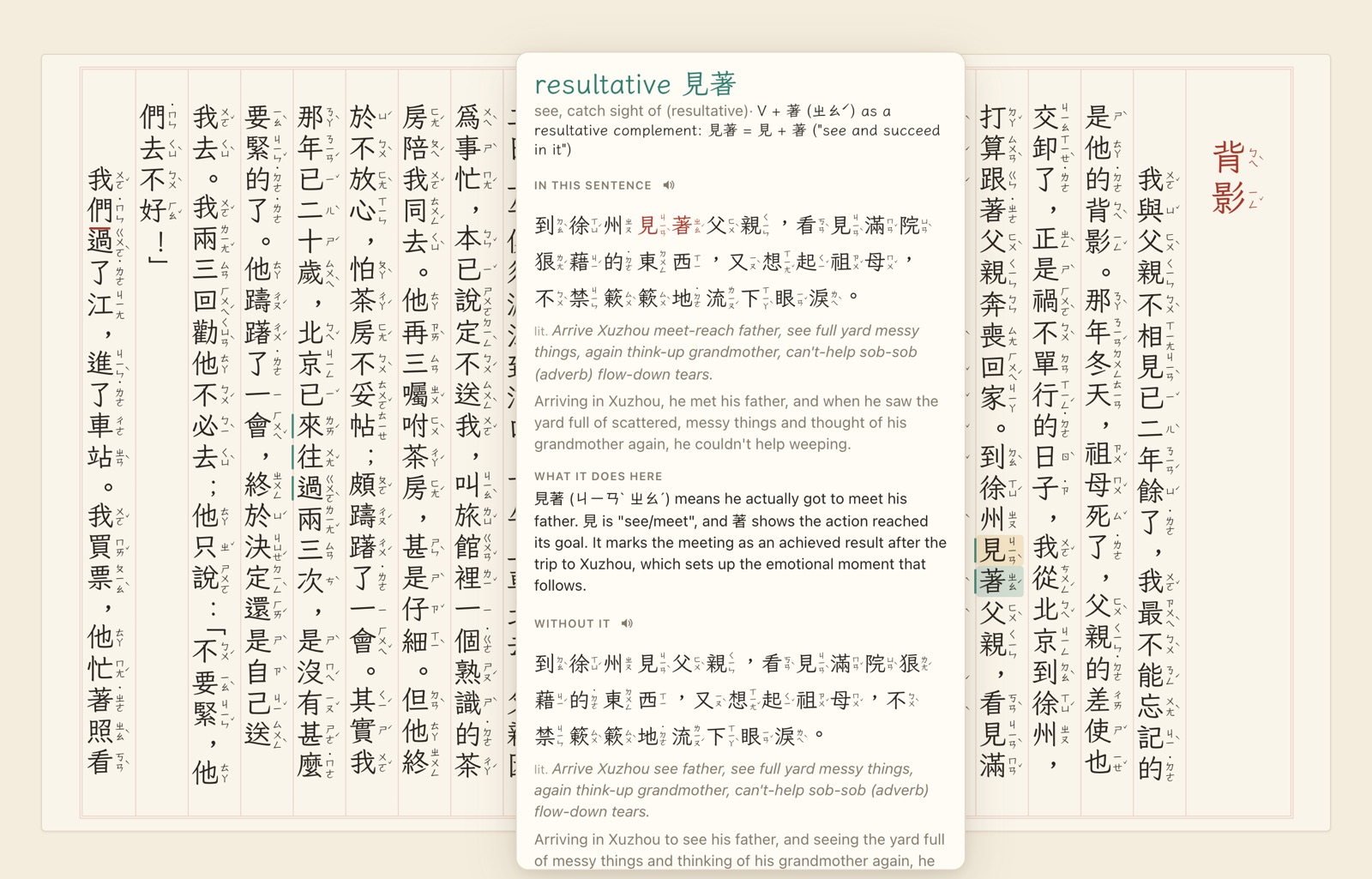
As you read, the tutor looks through the text on screen for structures such as 把, 是…的, 連…都, 越…越, 一…就, 雖然…但是, resultative complements, and classical 之 and 所. Each is marked with a coloured bar beside the text; hover one and its other parts light up.
Click a marked character to see what the structure does in this sentence, and how the sentence reads without it.
文法 turns the marks on and off.
Words
Every word you’ve met.
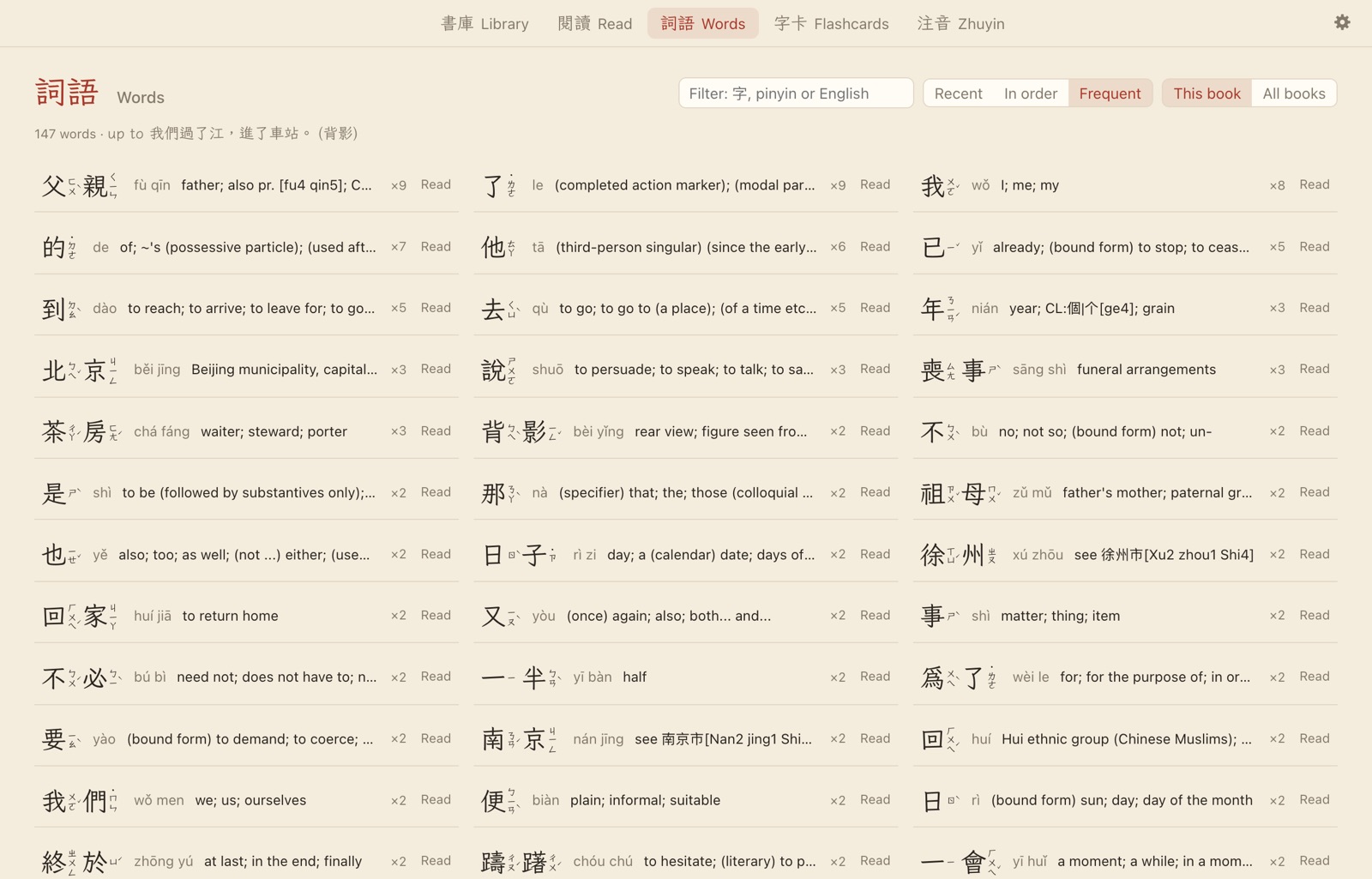
The Words list has every word from the start of the book up to where you’ve read, with Zhuyin, pinyin, the dictionary meaning and how often you met it.
- Recent, in order, or most frequent
- This book or all your books
- Filter by character, pinyin or English
Click a word to see it in the sentence where you first met it. Read opens the book right there.
Flashcards
Cards from your own reading.
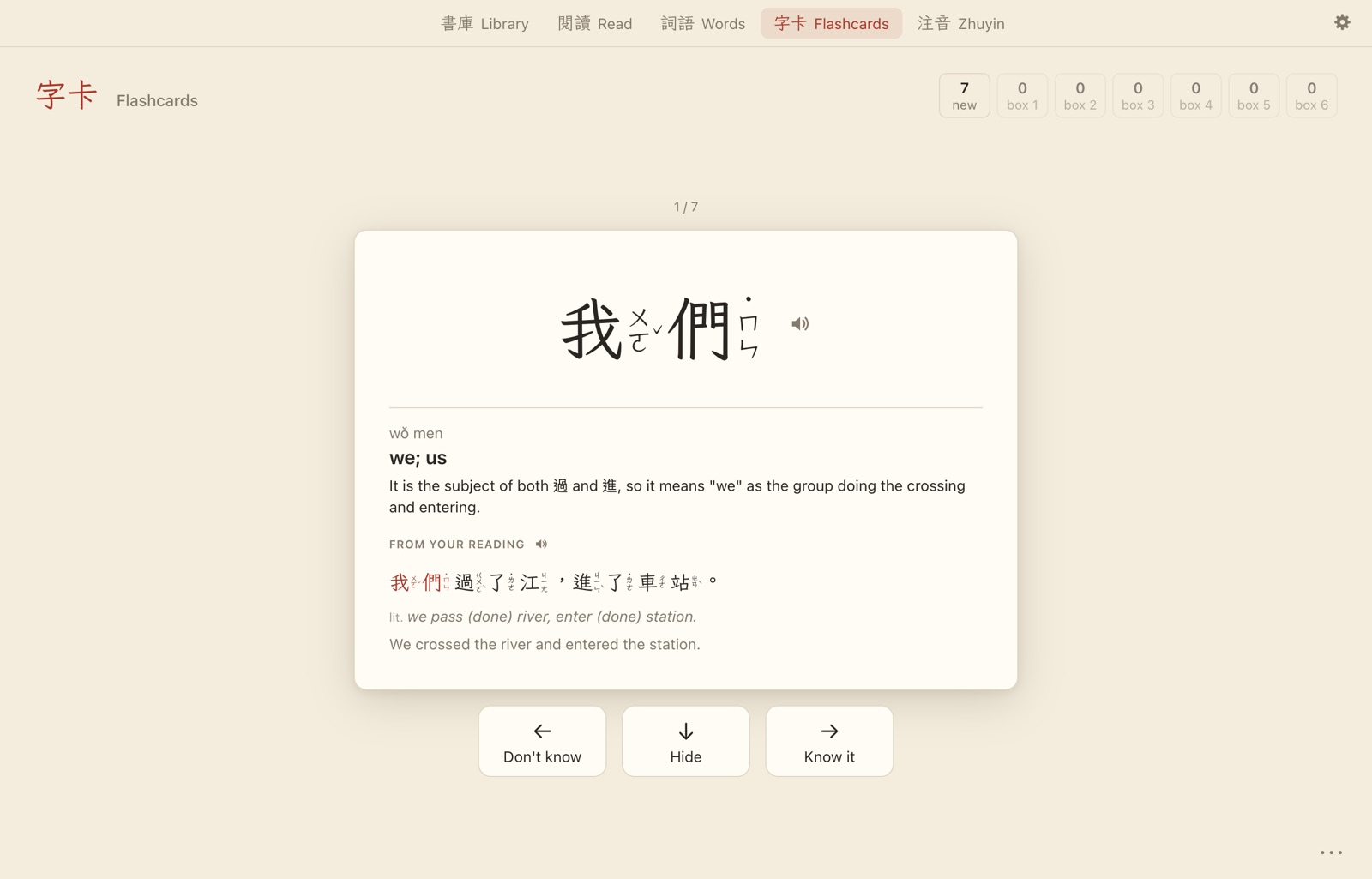
Words you look up while reading become flashcards, each with the sentence you found it in.
- ↓ peeks at the answer.
- → you know it; ← you don’t, and it comes back a few cards later.
- ← without peeking shows the full explanation first.
Cards move through Leitner boxes and come back after 1, 2, 4, 8, 16 and 32 days. Study one book’s cards or all of them.
注音
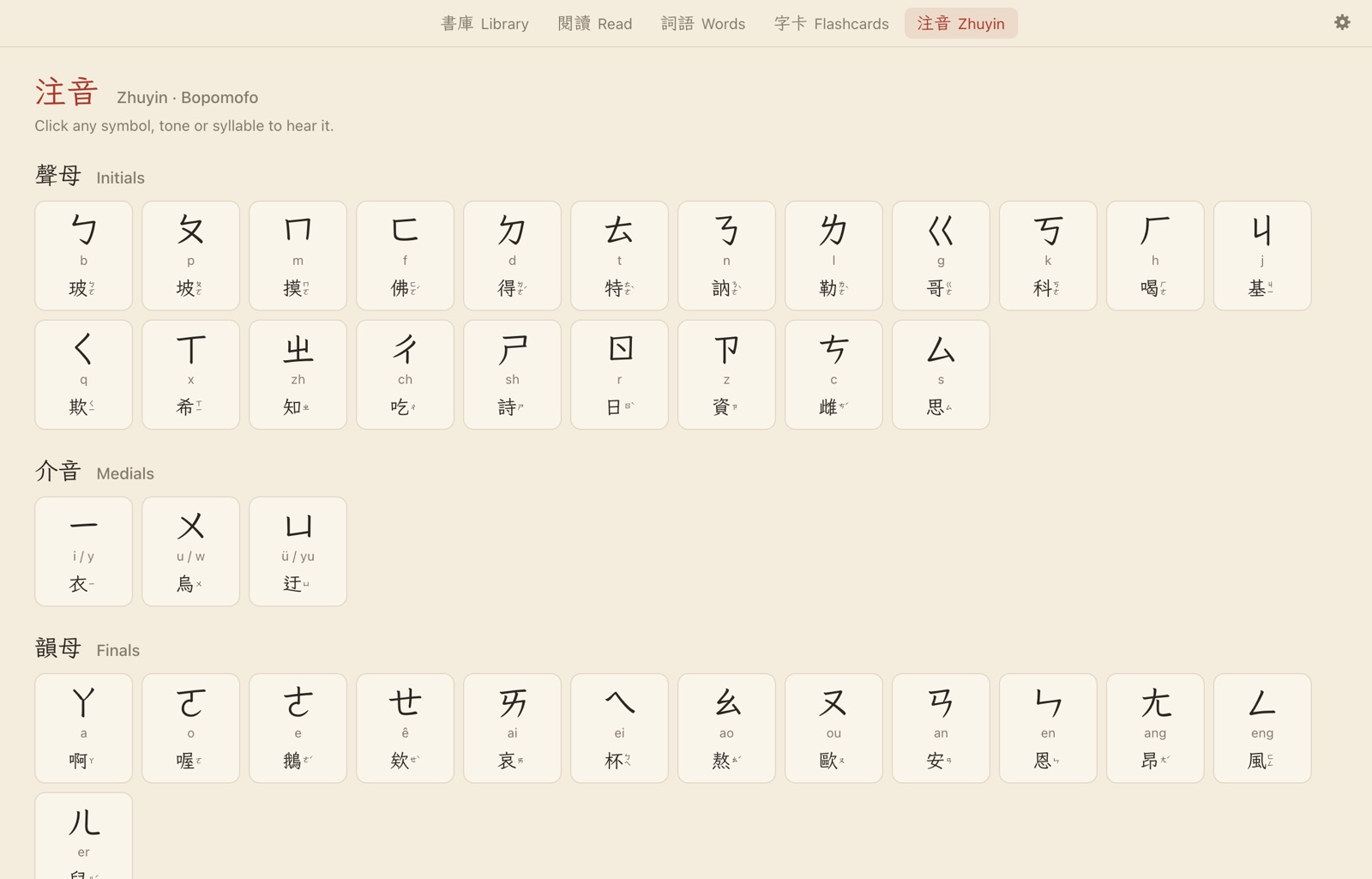
The whole Zhuyin chart.
All 37 symbols with their pinyin and an example character, the tones, and every syllable. Click any of them to hear it.
And the rest
Bring your own texts.
A web page
Paste the address of a chapter, an article or a table of contents. Chapters linked from the same folder are picked for you, and older Big5 and GBK pages read correctly.
A PDF
Text PDFs are read directly. Scanned or garbled ones are recognised with OCR, vertical or horizontal, Traditional or Simplified, and two-page scans are split. Page numbers are kept.
A text file
.txt or .md. Headings become chapters.
Traditional or Simplified
Keep a text as it is, or convert it to Traditional (Taiwan) or Simplified as you add it. The conversion happens on your Mac.
Progress marker
The furthest word you hovered gets a short red line, so you always know where you got to. ⚑ jumps back to it, and Mark progress here moves it.
Bookmarks
Add a labelled bookmark at your marker or at any word. Click to jump, rename or delete.
Listen
Words, sentences and examples are read aloud by your Mac’s Chinese voices, Mei-Jia by default, at the speed you choose. Audio is saved, so it plays instantly next time.
Your choice of tutor
Claude through Claude Code, ChatGPT by signing in from the app with nothing to install, or Codex. You pick the model and how hard it thinks about grammar.
Privacy
Runs on your Mac. The tutor runs on your plan.
Works without the tutor
Zhuyin, pinyin and tone changes, word splitting, dictionary meanings, audio, the Words list, the Zhuyin chart and card scheduling all work offline. Meanings in context, translations, grammar marks and the backs of flashcards need the tutor.
On your own account
The tutor uses the Claude or ChatGPT plan you already have, with no API keys. Answers are saved on your Mac, so each question is asked only once.
What leaves your Mac
Only what the tutor needs: a word and its sentence, a character, or the paragraphs on screen when grammar marks are on. It goes to Anthropic or OpenAI through your account. There’s no analytics, no crash reporting and no update check.
Online only when needed
Adding a web page, the tutor, and the first OCR in each layout (which downloads that layout’s language data) need the internet. Everything else works offline.
Made with CC-CEDICT (MDBG, CC BY-SA 4.0) for meanings, the Chewing project’s phrase list (LGPL-2.1-or-later) for Zhuyin readings, the LXGW WenKai TC font (OFL 1.1), and PDF.js, Tesseract.js and OpenCC (Apache-2.0). The full license texts are in the app under Settings → Credits & licenses. Sample text: 朱自清《背影》, 1925, in the public domain.
Get Chinese Study.
Sold here, on kindofhuman.com. Sales open soon: subscribe to the newsletter and we’ll email you when they do.
How buying will work
- Pay at checkout. Creem, our reseller, takes the payment and sends your receipt, with VAT handled for your country.
- Download the app from the link in your receipt email.
- Open it and add a text: a web page, a PDF or a text file.
Chinese Study
Price coming soon
Price and plan are announced when sales open.
- The whole app: reader, tutor, grammar, Words, flashcards and the Zhuyin chart
- The tutor on your own Claude or ChatGPT plan, no API key
- For Macs with Apple silicon
Questions.
Traditional or Simplified?
Both. You can keep a text as it is or convert it either way when you add it. The Zhuyin readings come from Taiwan’s Chewing data, and in left-to-right mode every character also has pinyin.
Do I need an AI subscription?
Not to read. Zhuyin, pinyin, dictionary meanings, audio, the Words list, the Zhuyin chart and flashcard scheduling work without one. The tutor, grammar marks and the backs of flashcards need Claude (through Claude Code) or ChatGPT; the Set up button in Settings walks you through it.
What can I read in it?
Any Chinese text you add: a web page or a whole book’s chapters, a PDF (scans too, through OCR), or a .txt or .md file.
Which Macs does it run on?
Macs with Apple silicon.