Mac app
Minimal Reader
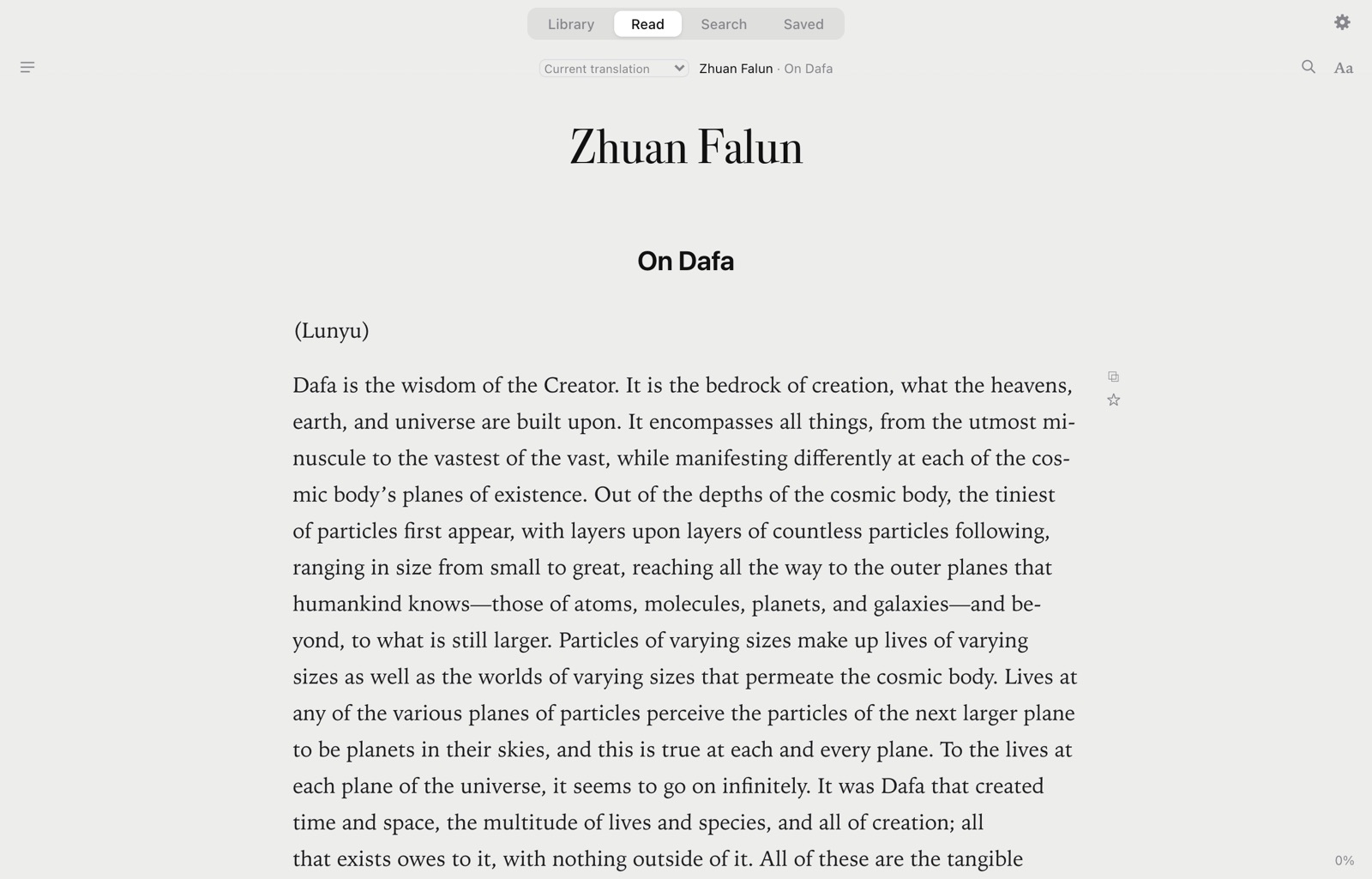
Read long books in one quiet column, and find any passage by asking in your own words. Every quote you get back is the book’s own, word for word.
Search
Ask in your own words.
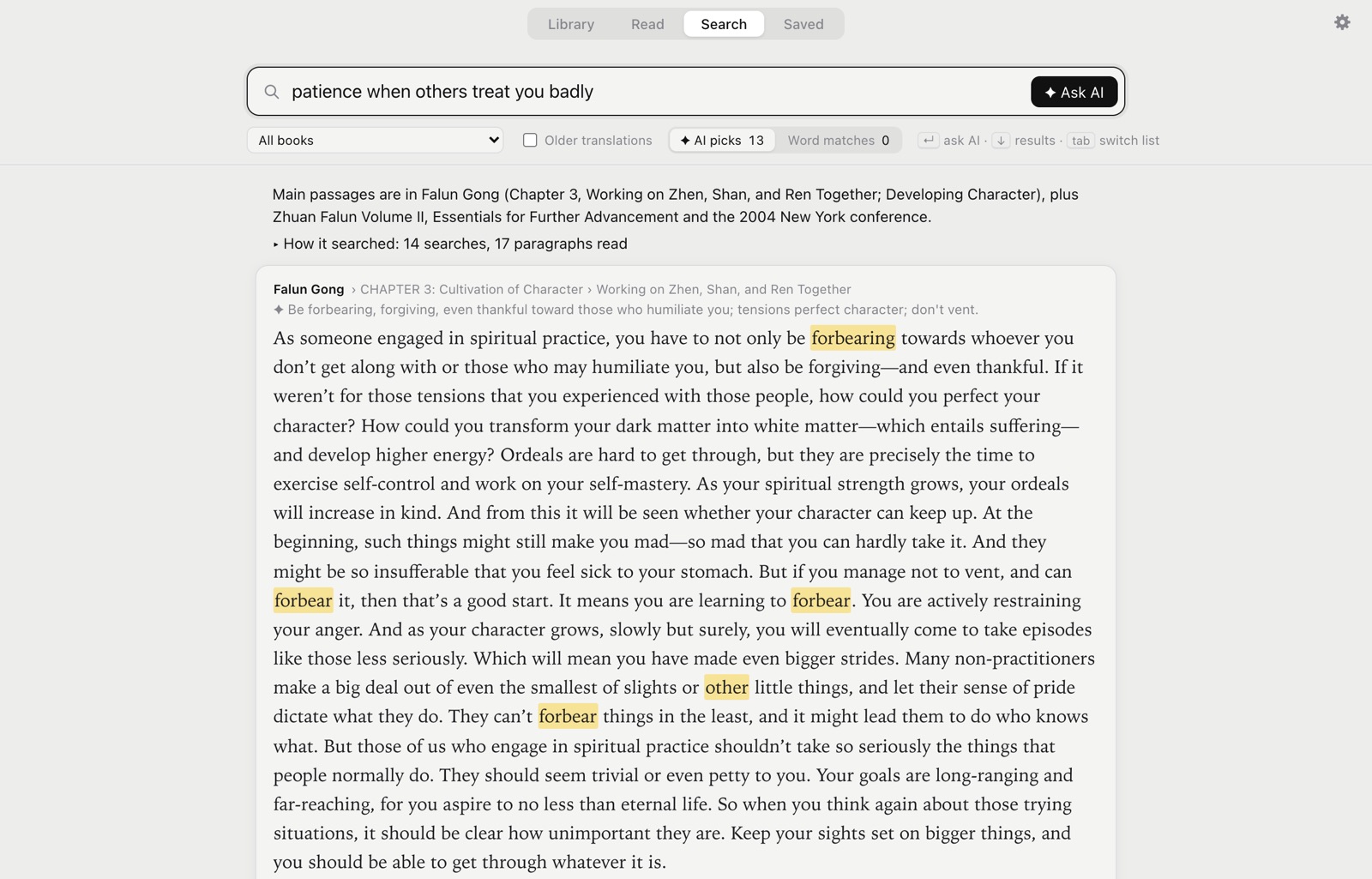
Type what you’re looking for and press Enter. The AI writes a dozen searches in the books’ own vocabulary, reads the paragraphs they find, and lists the ones that answer, best first, each with a one-line reason. Close calls are marked “related”.
The AI only picks paragraphs. The text you read always comes from the book itself, so a quote is never paraphrased or made up.
- How it searched shows every search it ran.
- Recent AI searches are kept and reopen instantly.
- Search the whole library, or pick one book.
Word search
Or just type words.
Without Enter, every paragraph that has all your words appears as you type, and word endings don’t matter. Put a phrase in quotes for an exact match, or use OR, NEAR(a b, 8) and word*. Word search works offline and needs no AI.
Open a result and it’s highlighted in the book with the matched words marked. ← and → step through the other results, and Esc takes you back to the list where you left it.
Results by keyboard
↓ into the results, ↑ ↓ or j k to move, ↵ to open in the book, Space for the paragraphs around it.
Copy and save from the list
C copies a result with its citation and S saves it. Tab switches between AI picks and word matches.
Older translations, when you want them
Search leaves the older translations out unless you tick Older translations, so one passage doesn’t fill the list once per translation.
Search inside a book
⌘F while reading searches the open book; / opens search from anywhere.
Library
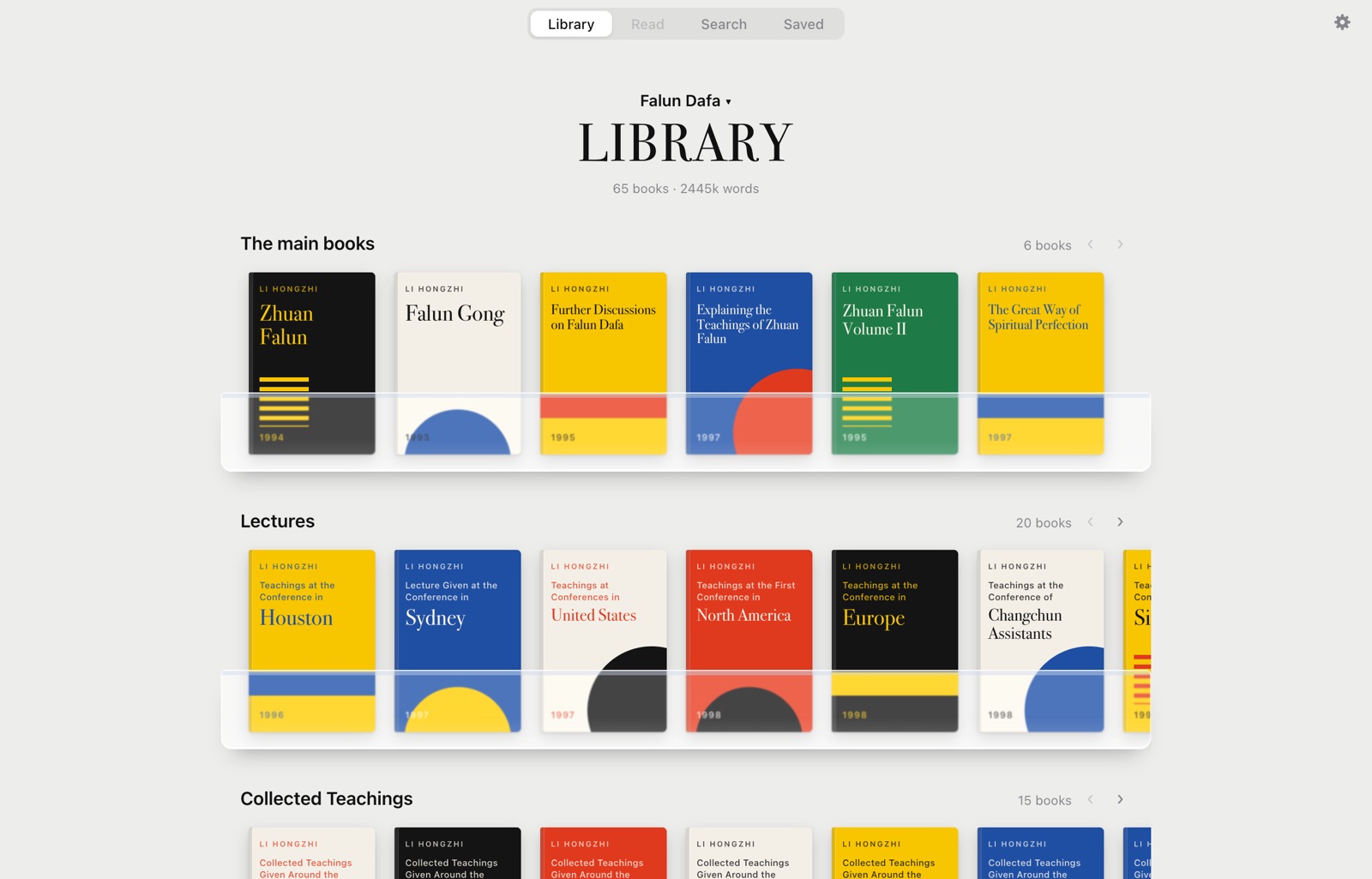
The Falun Dafa books, one click away.
On first run, one click downloads the 51 books from en.falundafa.org in English, in the site’s order. The 14 older translations of Zhuan Falun, Falun Gong, the Sydney lecture and Hong Yin I–II come with them; switch between translations from the book’s header.
Each book shows how far you’ve read, and the app reopens where you stopped. Download again in Settings picks up updated translations.
Your own books
Bring any book of your own.
Make more libraries next to the Falun Dafa one. Search and AI search look only in the library you’re in.
From files
EPUB, PDF, MOBI and AZW3 without DRM, DOCX, FB2, HTML, Markdown and plain text. Pick them or drop them on the window. Only the text is kept, not the file.
Through Calibre
Other formats, such as RTF and ODT, are converted with Calibre’s ebook-convert if you have Calibre installed.
From a link
Paste a web address. Minimal Reader finds the chapters or books it links to and lists them, with checkboxes, before anything downloads.
Reading
One quiet column.
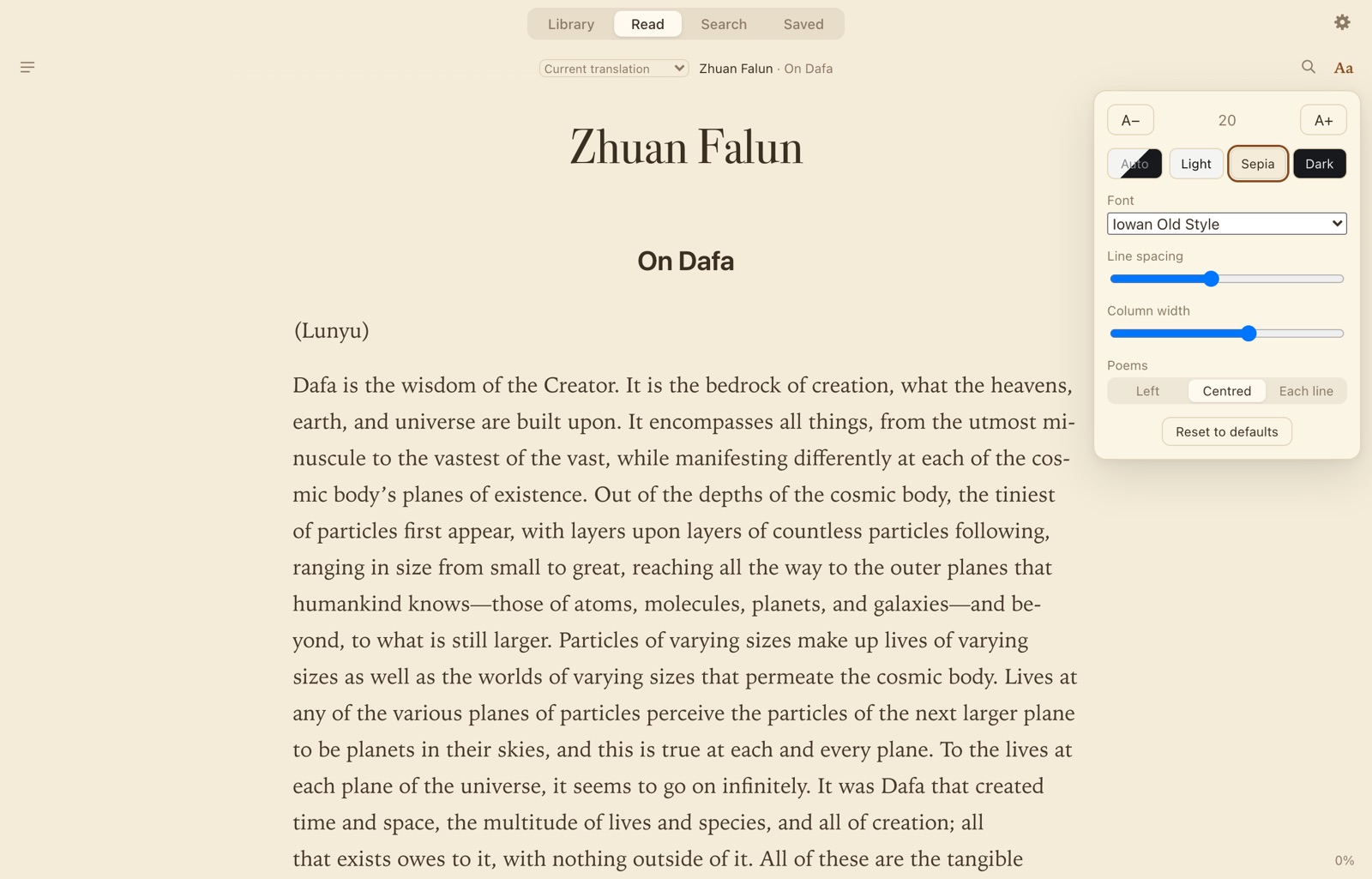
A single serif column and nothing else. The tabs fade while you read and come back when the mouse goes near the top.
- Text size, line spacing and column width
- Six Mac fonts: Iowan Old Style, New York, Charter, Palatino, Georgia and San Francisco
- Auto, Light, Sepia and Dark
- Poems aligned left, centred, or line by line
- Contents of talks, articles, poems and sections with T
Saved
Keep the passages that matter.
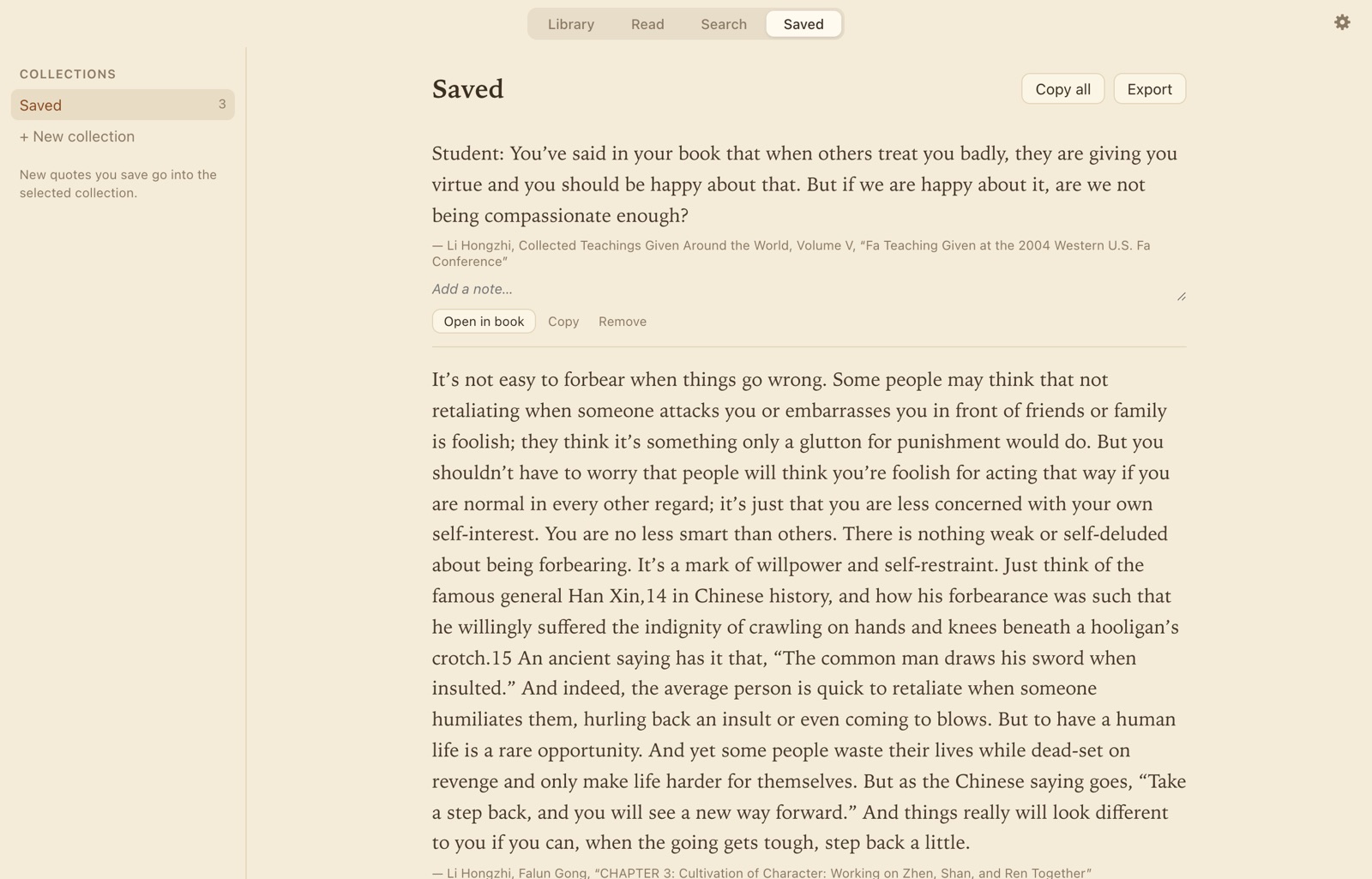
Save a paragraph with ☆ while reading, or a search result with S. Quotes go into named collections, each with room for a note.
Copy one quote or all of them, each with its citation: “…” — Author, Title, “Section”. Export a collection to a Markdown file in your Documents folder.
Keyboard
Hands on the keys.
- Library, Read, Search, Saved
- ⌘1⌘2⌘3⌘4
- Search from anywhere
- /
- Search the open book
- ⌘F
- Ask the AI
- ↵
- Contents
- T
- Text size
- ⌘+⌘−
- Next or previous result in the book
- ←→
- Back to the results
- Esc
- Settings
- ⌘,
Privacy
Your reading stays on your Mac.
Kept on your Mac
Books, progress, saved quotes and search history live in a database on your Mac. There’s no account, no analytics, no crash reporting and no update check.
AI search, on your own account
AI search runs through Claude Code or Codex, signed in with your Claude or ChatGPT account, so there’s no API key to manage. It sends your question and the paragraphs it found (in your own libraries, also the books’ titles and authors) to Anthropic or OpenAI. Nothing else leaves the Mac.
Online only when needed
Downloading books, adding a book from a link and AI search need the internet. Reading, word search and saved quotes work offline.
Get Minimal Reader.
Sold here, on kindofhuman.com. Sales open soon: subscribe to the newsletter and we’ll email you when they do.
How buying will work
- Pay at checkout. Creem, our reseller, takes the payment and sends your receipt, with VAT handled for your country.
- Download the app from the link in your receipt email.
- Open it and download the books, or add your own.
Minimal Reader
Price coming soon
Price and plan are announced when sales open.
- The whole app: libraries, reading, word search, AI search and saved quotes
- AI search on your own Claude or ChatGPT account, no API key
- For Macs with Apple silicon
Questions.
Do I need an AI subscription?
No. Reading, word search, saved quotes and your own libraries all work without one. Only AI search, when you press Enter, needs a Claude or ChatGPT account that can use Claude Code or Codex. Settings → Connect AI checks whether each is installed and signed in, and sets it up.
Can the AI change what the books say?
No. The AI only returns which paragraphs answer your question. The text shown is always read from the book in your library, word for word.
Can I read books other than the Falun Dafa books?
Yes. Make a library of your own and add EPUB, PDF, MOBI and AZW3 without DRM, DOCX, FB2, HTML, Markdown or text files, or books from a link. With Calibre installed, other formats are converted too.
Which Macs does it run on?
Macs with Apple silicon.